Make it move,
pixel by pixel.
Zoetrope is a professional studio for pixel art and GIFs that runs entirely in your browser — a layer-based pixel editor, a timeline animator with onion skinning and keyframes, and a GIF maker for video, captions and effects.
Free forever: Pixel Art Creator & GIF Editor · Pro: Pixel Art Animator · Nothing you make is uploaded
Everything from the first pixel to the final loop.
Draw in Pixel Art Creator, bring it to life in the Animator, or turn any clip into a GIF — with the same palette, shortcuts and file formats throughout.
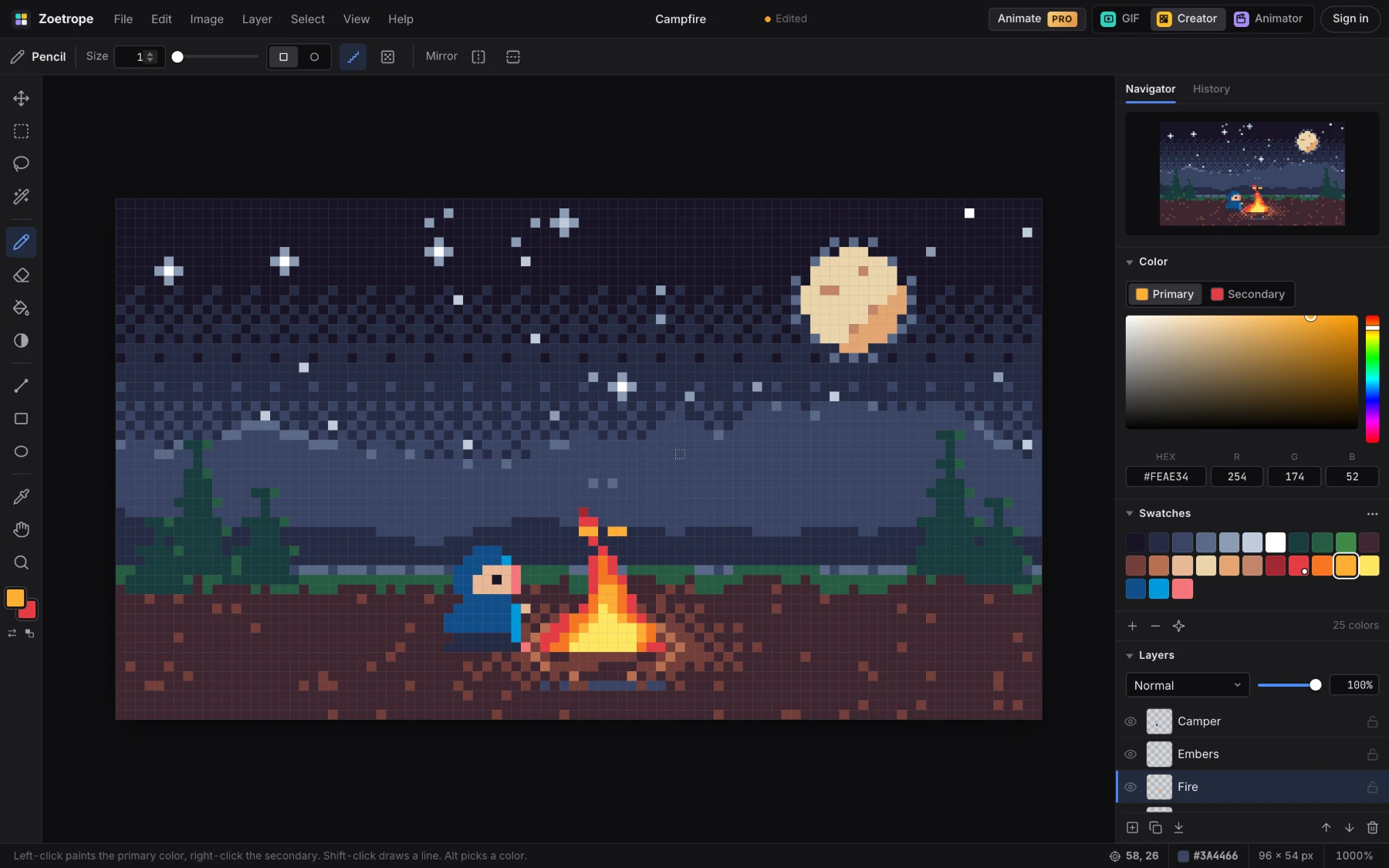
A pixel editor that feels like Photoshop.
Layers, selections, adjustments and a real color workflow — built around the grid, so every stroke lands on a whole pixel.
- Layers with blend modes, opacity, lock, merge and flatten
- Pixel-perfect pencil, ordered dithering, palette shading and symmetry
- Marquee, lasso and magic wand — move, flip, rotate, copy, paste
- Palettes from PICO-8 to Endesga 32; import and export .gpl, .hex and .pal
- Photo → pixel art with live preview, palette extraction and dithering
- Export PNG, GIF, WebP, JPG or SVG at any scale
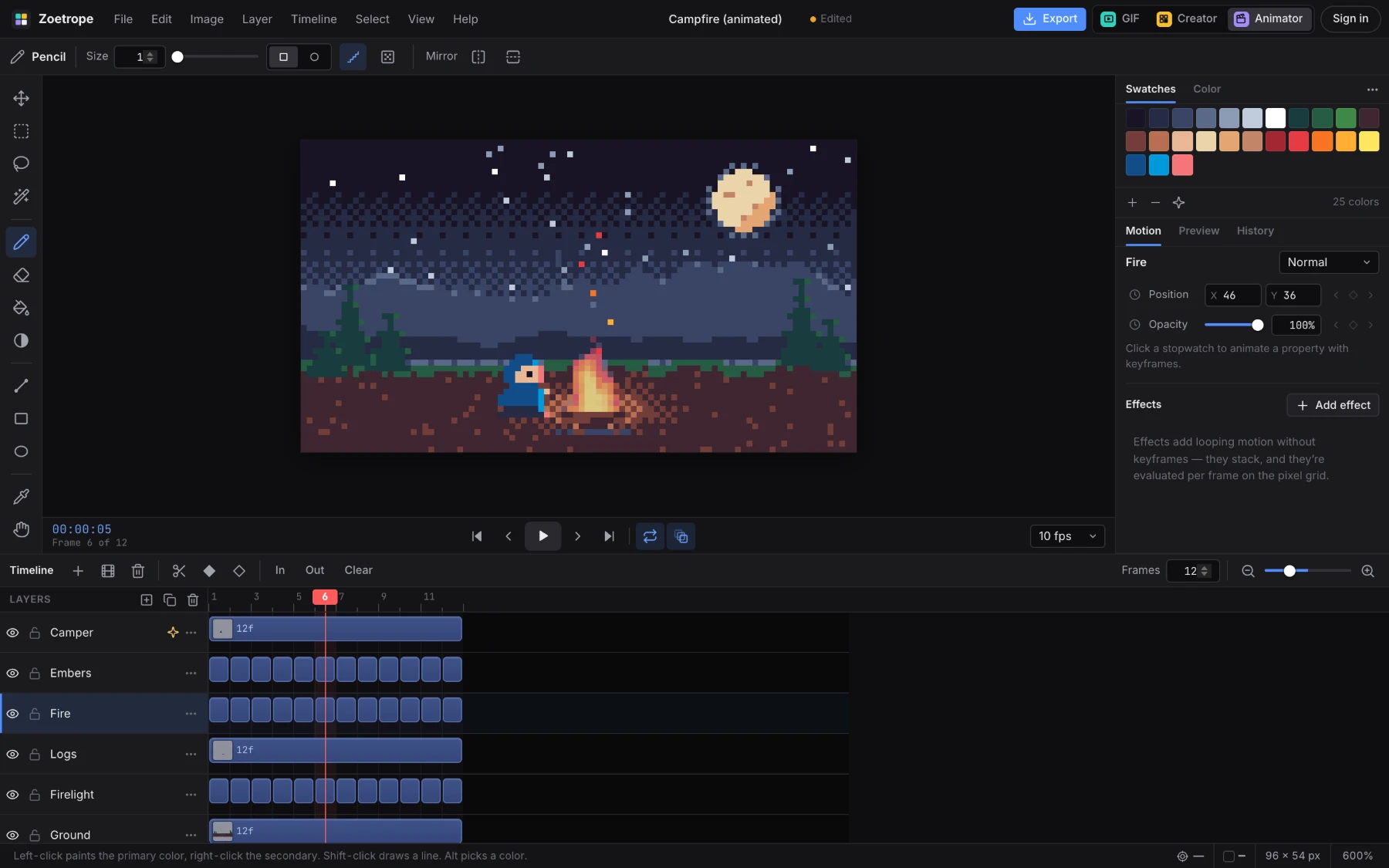
A real timeline, built for pixel art.
Layers become tracks and drawings become clips you can hold, trim, split and slide — then add motion that never lands between pixels.
- Premiere-style timeline: tracks, clips, scrubbing, loop ranges
- Onion skinning, frame-by-frame drawing and instant playback
- Keyframed position and opacity with easing — motion paths on canvas
- Effects: bob, sway, orbit, shake, blink and palette cycling
- Import GIFs and video as frames — rotoscope in pixel style
- Export GIF, APNG, animated WebP, sprite sheets with Aseprite JSON, PNG sequences
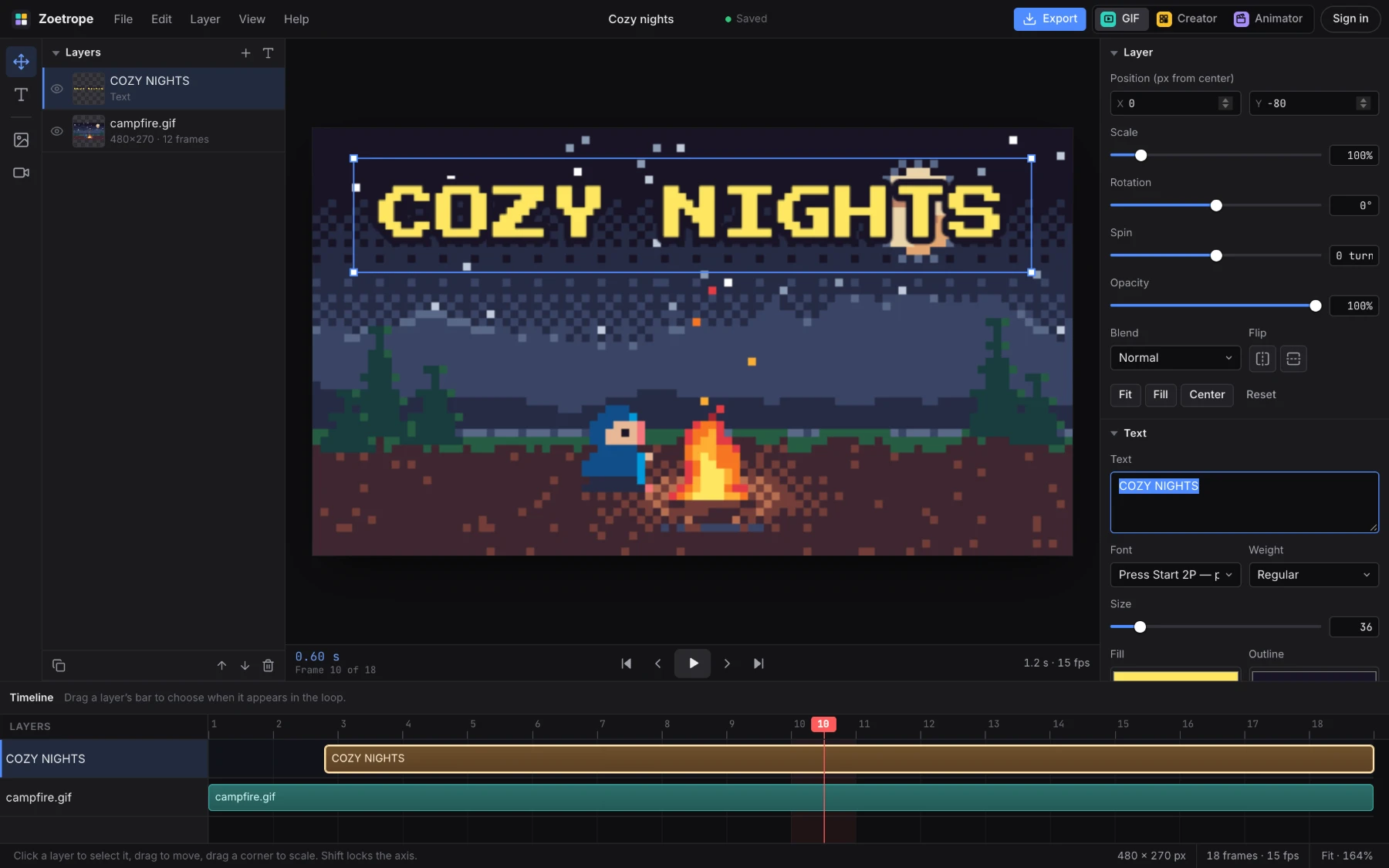
Turn anything into a perfect loop.
Stack video, GIFs, images and text, then push, spin, warp and recolor them into a looping GIF — or a tiny MP4 for social.
- Video, GIF, image and SVG layers, drag to place and scale
- Captions with meme, display and pixel fonts
- Spin, waves, ripples, twists and glitch distortions
- Brightness, contrast, saturation and hue per layer
- Harmony recolor from a color wheel
- Export GIF, APNG, WebP or video — with a timeline for when each layer appears
Serious tools. Zero setup.
Private by design
Everything runs on your device. Images and videos are never uploaded; projects save in your browser.
Keyboard-first
The shortcuts you already know — B, E, G, V, ⌘Z, Space to pan — plus a full shortcut reference.
Grid-true, always
Pixel-perfect strokes, nearest-neighbor scaling and motion that snaps to whole pixels. No blur, ever.
Palettes that travel
Classic presets, harmony generation, extraction from photos, and the palette formats other tools use.
Export anywhere
GIF, APNG, WebP, PNG, SVG, sprite sheets for game engines, PNG sequences and video.
Files you own
.zpx and .zani are plain-text project files. Download them, back them up, open them years from now.
Start free. Go Pro when you want to animate.
Pixel Art Creator and the GIF Editor are free — no account, no watermark. Pro unlocks Pixel Art Animator.
Free
No account needed
- Pixel Art Creator
- GIF Editor
- All still & GIF exports
- Projects saved in your browser
Pro · Quarterly
Billed every 3 months
- Everything in Free
- Pixel Art Animator
- Animated exports & sprite sheets
- GIF & video → frames
Pro · Yearly
Save 25% vs. quarterly
- Everything in Free
- Pixel Art Animator
- Animated exports & sprite sheets
- GIF & video → frames
Pro · Lifetime
Pay once, keep it
- Everything in Pro
- One payment — no renewals
- Pixel Art Animator for life
Prices in USD. Subscriptions renew automatically and can be canceled any time from your account.
Questions, answered.
Is Zoetrope really free?
Yes. Pixel Art Creator and the GIF Editor are free to use with no account and no watermark. Pixel Art Animator is part of Zoetrope Pro.
Do you upload my images or videos?
No. Everything happens in your browser — drawing, conversion, recoloring and every export. Your projects are saved in your browser’s own storage; download the project file to back one up or move it to another computer. Your Zoetrope account is only used for sign-in and billing.
What’s included in Pro?
Pixel Art Animator: the multi-track timeline, onion skinning, keyframes, motion effects, GIF and video import as frames, and animated export to GIF, APNG, WebP, sprite sheets and PNG sequences. Sign in on any computer to use it.
Can I cancel?
Any time, from your account menu → Manage billing. You keep Pro until the end of the period you’ve paid for. Lifetime is a single payment with no renewals.
What are .zpx and .zani files?
Zoetrope’s project formats — .zpx for Pixel Art Creator and .zani for Pixel Art Animator. They’re plain-text JSON holding your layers, frames, palette and motion, so they’re easy to back up and you can open them in any text editor.
Which browsers and devices work?
Zoetrope is built for desktop and laptop browsers — current Chrome, Edge, Firefox and Safari. Tablets work with a keyboard and pointer; phones are usable but cramped. Animated WebP export needs Chrome, Edge or Firefox.
Can I bring palettes from other tools?
Yes. Import GIMP/Aseprite .gpl, Lospec .hex, JASC .pal or Zoetrope .zpal palettes, and export to the same formats.
Your next sprite is one click away.
No install, no account, no upload. Just open it and draw.